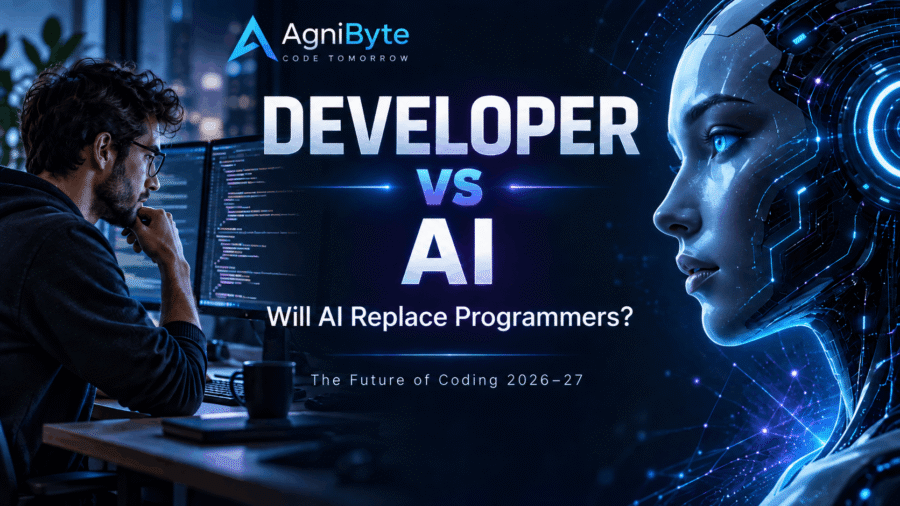
Developer vs AI: Will AI Replace Coders? The Future of Programming in 2026–27
Developer vs AI 2026–27: Will AI Replace Programmers & Coders?
Will AI replace developers and programmers? Explore Developer vs AI in 2026–27, how AI is changing coding, which developer skills will survive, jobs at risk, future opportunities, and how programmers can work with AI.
AI vs programmers, will AI replace developers, future of coding, AI coding tools, programmer vs artificial intelligence, future of software developers, AI developer jobs, coding with AI, AI replacing programmers, developer career 2027
Developer vs AI: Will Artificial Intelligence Replace Programmers?
A few years ago, if you wanted to build an Android application, website, backend system, automation tool, or software product, you needed someone who could actually write the code.
Today, the situation looks very different.
You can describe an application to an AI assistant and receive hundreds of lines of code within seconds.
AI can generate:
- Android Kotlin code
- Java applications
- Python scripts
- HTML, CSS and JavaScript
- React components
- SQL queries
- APIs
- Unit tests
- Documentation
- Database structures
- Bug fixes
- Regular expressions
- Shell commands
- Entire project prototypes
So one question is becoming increasingly common:
If AI can write code, do we still need developers?
The short answer is:
Yes — but the developer’s job is changing.
The real competition of the next few years probably won’t simply be:
Developer vs AI
It will increasingly be:
Developer using AI vs Developer ignoring AI.
Artificial intelligence is becoming another layer of the software-development toolchain.
Calculators didn’t eliminate mathematicians.
Compilers didn’t eliminate programmers.
High-level programming languages didn’t eliminate software engineers.
Stack Overflow didn’t eliminate developers.
And AI coding assistants are unlikely to eliminate the need for people who understand how software actually works.
What AI is likely to eliminate or dramatically reduce is a large amount of repetitive programming work.
That difference is extremely important.
AI Is Already Becoming Normal in Software Development
AI-assisted programming isn’t some theoretical technology that developers might use ten years from now.
It is already part of everyday software development.
According to the 2025 Stack Overflow Developer Survey, 84% of respondents said they were using or planning to use AI tools in their development process, while 51% of professional developers reported using AI tools daily.
That means the debate is no longer:
“Will programmers use AI?”
The more useful question is:
“How much of programming will AI handle, and what will humans still need to do?”
And the answer is much more interesting than the dramatic headlines suggest.
What Can AI Actually Do for a Developer?
Modern AI can perform an impressive range of programming tasks.
Suppose a developer says:
Create an Android booking form in Kotlin with customer name, phone number, package selection, date picker, time picker and local order history.
An AI coding assistant can potentially generate:
- XML layouts
- Kotlin activities
- RecyclerView adapters
- Data classes
- Validation logic
- SharedPreferences storage
- Gson serialization
- Click listeners
- DatePicker code
- TimePicker code
A developer may receive what previously required hours of typing in minutes.
That is a major productivity change.
But generating code and engineering software are not the same thing.
Developer vs AI: Quick Comparison
| Area | Human Developer | AI |
|---|---|---|
| Writing repetitive code | Good | Excellent |
| Generating boilerplate | Good | Excellent |
| Understanding business context | Excellent | Limited without context |
| Architecture decisions | Excellent with experience | Helpful but needs supervision |
| Debugging unfamiliar systems | Strong | Improving |
| Understanding customer requirements | Strong | Depends on supplied information |
| Security judgment | Strong with expertise | Must be verified |
| Code explanation | Strong | Excellent |
| Testing ideas | Strong | Excellent assistant |
| Accountability | Human responsibility | None |
| Creativity | Context-driven | Pattern-driven |
| Handling ambiguous requirements | Strong | Can misinterpret |
| Maintaining large systems | Strong | Helpful assistant |
| Product decisions | Human-led | Advisory |
| Speed of code generation | Moderate | Extremely fast |
AI wins overwhelmingly in speed.
Humans still dominate when judgment, responsibility, context and trade-offs matter.
What AI Does Better Than Most Developers
There are several programming tasks where AI is already extremely useful.
1. Boilerplate Code
Developers spend enormous amounts of time writing predictable structures.
For example:
data class Customer(
    val name: String,
    val phone: String
)
Or:
button.setOnClickListener {
    startActivity(Intent(this, BookingActivity::class.java))
}
There is little reason for a developer to manually type every predictable line if an AI system can generate it correctly.
The developer’s value moves toward knowing:
- what needs to be generated,
- whether the generated code is correct,
- and how it fits into the overall system.
2. Explaining Code
AI is excellent at turning complicated code into plain language.
A developer can paste an unfamiliar function and ask:
“Explain what this code does.”
AI can break it into smaller steps.
This can be especially useful when:
- learning a new framework,
- taking over an existing project,
- reviewing legacy code,
- learning a new programming language.
3. Converting Code Between Languages
AI can rapidly translate programming concepts between languages.
For example:
Java → Kotlin
JavaScript → TypeScript
Python → Java
XML UI → Jetpack Compose
The result still needs testing, but AI can dramatically reduce migration work.
4. Finding Simple Bugs
AI can quickly spot common issues such as:
- null-pointer risks
- incorrect variable names
- missing imports
- invalid XML attributes
- incorrect loops
- incorrect conditions
- type mismatches
- duplicated logic
Instead of staring at 200 lines of code, a developer can ask AI to review the suspicious section.
5. Creating Tests
Writing tests is important but often repetitive.
AI can help generate:
- unit tests
- edge cases
- mock data
- test scenarios
- integration-test ideas
Developers can then validate and improve them.
6. Documentation
Many programmers love building features but dislike writing documentation.
AI is extremely useful for producing:
- README files
- API documentation
- code comments
- setup instructions
- changelogs
- onboarding documentation
This can turn undocumented projects into significantly easier systems to maintain.
7. Prototyping
This may be one of AI’s biggest strengths.
Imagine a startup founder asks:
Can we create a working prototype of this idea?
Previously, a development team might spend days building enough functionality to demonstrate it.
With AI-assisted development, a skilled programmer may create the first prototype considerably faster.
That doesn’t mean the prototype is production-ready.
But it can shorten the journey between:
Idea → Demo → Feedback
dramatically.
So Why Can’t AI Simply Replace Developers?
Because typing code is only one part of software development.
Consider this requirement:
“Build an order management application.”
That sounds simple.
But a developer must ask:
- Who will use it?
- What products are being ordered?
- Does the user need an account?
- Where is data stored?
- Can records be deleted?
- Should the application work offline?
- Are payments involved?
- What happens if the device is replaced?
- Does the application need a backend?
- Should orders synchronize?
- What happens when two users update the same record?
- What data should be encrypted?
- Which Android permissions are necessary?
- What happens when the network fails?
- What devices should be supported?
- What happens after an app update?
None of these questions are solved merely by generating code.
That is software engineering.
AI Can Generate Correct-Looking Code That Is Wrong
One of the biggest misconceptions about AI programming is that code that looks professional must be correct.
It isn’t.
AI can generate code that:
- compiles but behaves incorrectly,
- uses an outdated API,
- introduces security weaknesses,
- incorrectly handles edge cases,
- references functions that don’t exist,
- causes performance problems,
- misunderstands business requirements.
This is one reason human review remains critical.
The 2025 Stack Overflow Developer Survey found that 46% of developers distrusted the accuracy of AI outputs, compared with 33% who trusted them.
Even more revealing:
66% reported frustration with AI solutions that are almost correct but not quite.
That captures one of the biggest challenges of AI-generated software.
“Almost correct” can be more dangerous than obviously wrong.
If code obviously fails, developers fix it.
If incorrect code looks convincing, the problem might remain hidden until production.
AI Doesn’t Take Responsibility
Suppose AI generates payment-processing code.
A bug accidentally charges customers twice.
Who is responsible?
Not the AI.
The company and engineering team remain responsible for the software they ship.
The same applies to:
- privacy failures,
- lost customer data,
- incorrect financial calculations,
- security vulnerabilities,
- broken authentication,
- database corruption,
- application crashes.
AI can assist.
Humans remain accountable.
And wherever accountability exists, skilled professionals remain valuable.
Developer vs AI: The Calculator Analogy
Imagine asking:
“Calculators can calculate faster than mathematicians. Why do we still need people who understand mathematics?”
Because knowing how to press buttons isn’t the same as understanding the problem.
AI creates a similar situation in programming.
Before AI:
Developer thinks → Developer writes code → Computer executes
With AI:
Developer thinks → Developer instructs AI → AI writes code → Developer verifies → Computer executes
The typing stage becomes smaller.
The thinking and verification stages become more important.
The Developer of the Future May Write Less Code
This sounds strange, but it is likely.
A good programmer may manually type fewer lines of code in the future than programmers did previously.
Instead, they may spend more time:
- designing systems,
- explaining requirements,
- reviewing AI output,
- testing,
- debugging,
- optimizing,
- evaluating architecture,
- securing applications,
- integrating services,
- talking with customers,
- understanding business problems.
Programming will become less about:
“How quickly can you type this function?”
and more about:
“Do you understand what system should be built?”
What Happens to Junior Developers?
This is one of the most important questions.
Historically, junior developers often learned through simple assignments such as:
- creating basic CRUD screens,
- fixing small bugs,
- building forms,
- writing simple APIs,
- creating tests,
- writing documentation,
- implementing minor UI changes.
Unfortunately for beginners, these are exactly the kinds of jobs AI handles particularly well.
That may make the traditional path into software engineering more competitive.
But it doesn’t mean junior developers disappear.
Instead, expectations may rise.
A junior developer who only knows:
“Give me requirements and I’ll type the code.”
may struggle.
A junior developer who can:
- understand programming fundamentals,
- use AI effectively,
- verify AI-generated code,
- debug problems,
- understand Git,
- read documentation,
- understand APIs,
- work with databases,
- communicate clearly,
will remain much more valuable.
Should Beginners Still Learn Programming?
Absolutely.
But learn programming differently.
Do not make your goal:
Memorize every syntax rule.
Syntax is increasingly easy to retrieve.
Make your goal:
Understand how software works.
Learn concepts such as:
- variables
- functions
- loops
- conditions
- objects
- classes
- data structures
- algorithms
- databases
- HTTP
- APIs
- authentication
- networking
- application architecture
- state management
- concurrency
- debugging
- security
- testing
Once you understand those concepts, AI becomes incredibly useful.
Without that knowledge, you may not know whether AI-generated code is correct.
The Dangerous Way to Learn Coding With AI
A beginner asks:
“Build me an entire application.”
AI generates 3,000 lines.
The beginner copies everything.
It works.
The beginner believes they now understand application development.
Then something breaks.
Suddenly they have no idea:
- where the problem is,
- why the architecture works,
- what a particular class does,
- where the data is stored,
- why an API request fails,
- how to fix the problem.
This creates AI dependency without engineering knowledge.
The Better Way to Learn Coding With AI
Instead, ask:
Explain what this function does.
Then:
Why is this approach used?
Then:
Show me another way to implement it.
Then:
What could go wrong with this code?
Then:
Give me a small exercise using the same concept.
Now AI becomes a teacher rather than merely a code generator.
That difference can dramatically improve learning.
What Is “Vibe Coding”?
You’ve probably seen the phrase vibe coding.
Generally, it describes creating software largely through natural-language prompts, with AI generating much of the underlying implementation.
For example:
Build a dashboard.
Add login.
Make the button blue.
Connect a database.
Add payment.
Fix the error.
The user focuses primarily on the desired result rather than manually writing and understanding every line.
It can be useful for:
- prototypes,
- experiments,
- personal tools,
- simple applications,
- MVPs.
But professional production software still needs:
- testing,
- code review,
- security analysis,
- architecture decisions,
- maintainability.
Interestingly, the 2025 Stack Overflow survey found that most respondents said vibe coding wasn’t part of their professional development workflow.
So despite social-media hype, professional development hasn’t become completely prompt-driven.
Developer vs AI: Who Wins at Building an Android App?
Consider an Android application.
AI can generate:
- Activity code
- Kotlin classes
- XML layouts
- adapters
- dialogs
- date pickers
- RecyclerViews
- SharedPreferences logic
- Room database structures
But the human developer still needs to decide:
- minSdk
- targetSdk
- application architecture
- dependency versions
- lifecycle handling
- data-storage strategy
- accessibility
- responsiveness
- security
- Google Play policies
- Data Safety declarations
- application signing
- release management
AI may help with all of those areas.
But someone still needs to make and validate the decisions.
Developer vs AI in Web Development
AI is extremely capable at generating:
HTML
CSS
JavaScript
and frameworks such as React.
This means simple websites can be built dramatically faster.
But professional web development includes:
- SEO
- accessibility
- performance
- authentication
- database design
- caching
- security
- deployment
- analytics
- CDN configuration
- monitoring
- backups
- scaling
Generating a beautiful homepage is different from operating a production web application used by thousands of people.
Developer vs AI in Backend Development
AI can easily generate a basic REST API.
For example:
POST /users
GET /users
PUT /users/{id}
DELETE /users/{id}
But production backend engineering involves decisions about:
- authentication
- authorization
- rate limiting
- database transactions
- queues
- caching
- concurrency
- retries
- logging
- observability
- disaster recovery
- scaling
- infrastructure cost
These areas involve trade-offs rather than simple answers.
Experienced engineers are valuable because they understand those trade-offs.
Will Companies Need Fewer Developers?
Possibly, for certain categories of work.
Imagine a company previously required ten developers to produce a certain volume of straightforward software.
If each developer becomes significantly more productive with AI, perhaps the organization can accomplish similar work with fewer people.
But there is another possibility.
Software becomes cheaper to create.
When creation becomes cheaper, companies may build more software.
A business that previously couldn’t afford:
- a customer portal,
- internal automation,
- mobile application,
- analytics dashboard,
- custom inventory system,
may now be able to build them.
That could create additional demand for people capable of turning business requirements into reliable software.
The final effect is unlikely to be as simple as:
AI arrives → developers disappear.
Which Developer Jobs Are Most Exposed to AI?
Tasks are more exposed when they are:
- repetitive,
- predictable,
- highly documented,
- easy to verify,
- isolated from complex business context.
Examples include:
Basic boilerplate development
Simple forms, CRUD pages and repetitive models are increasingly automatable.
Straightforward code conversion
Basic migration between similar languages can often be AI-assisted.
Simple documentation
AI can generate first drafts extremely quickly.
Basic unit-test generation
Many predictable tests can be generated automatically.
Simple debugging
Common error messages are easily analyzed by AI.
But remember:
Jobs are collections of tasks.
Automating some tasks does not necessarily eliminate the entire role.
Which Developer Skills Become More Valuable?
As AI gets better, several human skills become increasingly important.
1. System Architecture
Understanding how all components fit together will remain highly valuable.
2. Debugging
AI generates more code.
More generated code means someone must verify and debug it.
Great debugging skills may become even more important.
3. Security
Security requires adversarial thinking.
Developers need to understand:
- authentication
- authorization
- encryption
- injection attacks
- secrets management
- secure APIs
- permissions
- data protection
Blindly trusting AI-generated security code is dangerous.
4. Product Thinking
The best engineers don’t merely ask:
“How do we build this?”
They ask:
“Should we build this?”
That requires understanding:
- customers,
- business goals,
- costs,
- usability,
- priorities.
5. Communication
Software engineers regularly communicate with:
- clients,
- designers,
- managers,
- testers,
- other developers.
AI does not remove the need for people to understand each other.
6. Code Review
Someone needs to evaluate whether generated code is:
- correct,
- secure,
- maintainable,
- performant,
- readable.
7. Domain Knowledge
A developer who understands both programming and a specific industry can become extremely valuable.
For example:
Coding + Finance
Coding + Healthcare
Coding + Manufacturing
Coding + Logistics
Coding + E-commerce
Coding + Cybersecurity
AI can understand general patterns.
Experts understand real-world constraints.
The Most Valuable Developer May Become an AI Orchestrator
Future developers may increasingly coordinate multiple tools.
For example:
Human requirement
↓
AI generates architecture ideas
↓
AI generates initial implementation
↓
AI generates tests
↓
Developer reviews
↓
AI helps identify bugs
↓
Developer validates
↓
CI/CD tests build
↓
Developer approves deployment
The developer increasingly becomes the person controlling the entire engineering workflow.
AI Agents Could Change Software Development Even More
AI assistants usually respond when you ask a question.
AI agents go further.
They can potentially:
- inspect a repository,
- plan changes,
- modify multiple files,
- run tests,
- inspect failures,
- make additional changes,
- prepare commits.
This brings AI closer to performing complete engineering tasks rather than generating isolated snippets.
But agent adoption remains uneven.
The 2025 Stack Overflow survey found that 52% of developers either weren’t using agents or were sticking to simpler AI tools, although users of AI agents frequently reported productivity benefits.
This suggests we’re still relatively early in the transition.
Will Prompt Engineering Replace Programming?
Probably not.
A few years ago, some people predicted that developers would simply become prompt engineers.
That description is too narrow.
Being good at prompts is helpful.
But prompts cannot replace understanding:
- data structures,
- databases,
- networking,
- architecture,
- security,
- operating systems,
- testing,
- software lifecycle.
A developer who understands engineering can improve a weak prompt.
A person who only understands prompts may struggle when the generated system fails.
Coding Isn’t Disappearing — It’s Moving Up a Level
Programming has gone through this transformation many times.
Long ago, developers worked closer to machine instructions.
Then assembly languages emerged.
Then higher-level languages.
Then frameworks.
Then libraries.
Then cloud platforms.
Every generation allows developers to express more complicated ideas with less manual work.
AI is another abstraction layer.
Instead of writing:
button.setOnClickListener {
    // logic
}
a developer may increasingly say:
Add a button that opens the first package and preserve the selected package when the user returns.
AI generates the implementation.
The developer validates the behaviour.
The level of abstraction rises.
Developer Without AI vs Developer With AI
Imagine two equally experienced developers.
Developer A
Does everything manually.
- Searches documentation manually
- Writes every boilerplate class
- Writes every test
- Writes every comment
- Debugs everything alone
Developer B
Uses AI responsibly.
- Generates repetitive code
- Uses AI to summarize documentation
- Generates initial tests
- Gets debugging suggestions
- Automates documentation
- Reviews every important output
Who is likely to deliver faster?
Usually Developer B.
This is why refusing to learn AI may become more dangerous than AI itself.
But Blindly Using AI Is Just as Dangerous
There are two bad extremes.
Extreme #1
“AI is useless. Real programmers write everything themselves.”
This ignores major productivity improvements.
Extreme #2
“AI knows everything. I don’t need to understand programming.”
This creates fragile developers who cannot evaluate their own software.
The strongest approach is:
Understand development + use AI aggressively where appropriate + verify everything important.
Can AI Build a Complete Application?
Yes.
AI can already help create complete applications.
But there is a major distinction:
Can AI create an app?
Yes.
Can AI reliably engineer, maintain, secure, deploy and evolve a production system without knowledgeable human oversight?
That is a much higher bar.
Building version 1 is often the easiest part of software development.
The real challenge begins afterward.
Customers request changes.
Libraries are updated.
APIs change.
Policies change.
Security vulnerabilities appear.
Business requirements evolve.
Data volumes grow.
Edge cases appear.
Someone needs to understand the system.
The Hidden Cost of AI-Generated Code
AI makes code inexpensive to generate.
But inexpensive code can create expensive maintenance.
Imagine generating 20,000 lines of code that nobody on the team truly understands.
The application works initially.
Six months later, an important change is required.
Now the team must understand thousands of lines produced by AI.
This is why future engineering teams may care less about:
How much code did you generate?
and more about:
How little complexity did you create?
Great programmers often create simpler systems rather than larger systems.
Could AI Eventually Become Better Than Human Programmers?
At many individual coding tasks, AI already performs extremely well.
Its capabilities will likely continue improving.
It is reasonable to expect future systems to become much better at:
- repository-level understanding,
- long-running coding tasks,
- debugging,
- automated testing,
- migrations,
- deployment assistance,
- performance optimization.
But even extremely capable AI doesn’t automatically eliminate humans from software creation.
As long as software exists to serve human goals, somebody needs to decide:
- what the goal is,
- whether the system works,
- what trade-offs are acceptable,
- who is responsible.
The human role may move higher up the stack.
What Should Developers Learn in 2026–27?
If you’re preparing for the future of software development, focus on a combination of fundamentals and AI-assisted workflows.
Programming Fundamentals
Learn at least one language deeply.
Examples:
- Java
- Kotlin
- Python
- JavaScript
- TypeScript
- C#
- C++
- Go
- Rust
Don’t try to learn fifteen languages at once.
Git and Version Control
Understand:
commit
branch
merge
pull request
rebase
rollback
AI can write code, but teams still need controlled software development.
APIs
Understand:
- HTTP
- REST
- JSON
- authentication
- request/response lifecycle
- status codes
Modern applications depend heavily on APIs.
Databases
Learn:
- SQL
- tables
- relationships
- indexes
- queries
- transactions
Then explore NoSQL where appropriate.
Debugging
Learn how to inspect:
- logs,
- stack traces,
- breakpoints,
- network requests,
- database state.
Debugging may become one of the most important developer skills in the AI era.
Software Architecture
Understand concepts such as:
- separation of concerns,
- modularity,
- clean architecture,
- MVC,
- MVVM,
- dependency injection.
Security
Learn basic secure-development practices.
Every professional developer needs security awareness.
AI-Assisted Development
Learn how to ask AI to:
- explain code,
- review code,
- generate tests,
- identify edge cases,
- refactor,
- create documentation,
- explore architecture alternatives.
But always verify important output.
A Better AI Coding Workflow
Instead of asking:
Build my complete application.
Use structured tasks.
Step 1 — Explain the requirement
Describe exactly what needs to happen.
Step 2 — Ask for architecture
Have AI suggest components before writing code.
Step 3 — Break the task into modules
For example:
Authentication
Database
Dashboard
Orders
Order History
Settings
Step 4 — Generate one component at a time
This makes debugging easier.
Step 5 — Review the output
Understand what was generated.
Step 6 — Test
Check:
- normal flows,
- invalid inputs,
- edge cases,
- device states.
Step 7 — Refactor
Remove unnecessary complexity.
Step 8 — Document
Document important decisions.
This is significantly safer than generating a huge codebase in one prompt.
Should Businesses Hire Developers If AI Can Code?
Yes — but businesses should hire developers who understand AI-assisted development.
Suppose a business owner asks an AI:
Build an inventory system for my company.
The AI doesn’t automatically know:
- employee roles,
- approval procedures,
- tax requirements,
- warehouse workflow,
- accounting integration,
- supplier relationships,
- business rules.
Experienced developers translate messy real-world requirements into technical systems.
That ability remains extremely valuable.
Freelancer vs AI
Freelancers may feel particularly threatened because clients can now generate websites and prototypes themselves.
But AI also gives freelancers enormous leverage.
A freelancer can potentially:
- create proposals faster,
- prototype faster,
- write code faster,
- generate tests faster,
- document projects faster,
- handle more projects.
The freelancer’s competitive advantage shifts from:
“I know how to type code.”
toward:
“I can turn your idea into a dependable working product.”
That is a much stronger business proposition.
What Happens to Software Development Prices?
AI is likely to put pressure on the price of extremely simple development tasks.
If someone wants:
- a basic landing page,
- simple CRUD dashboard,
- simple script,
- basic prototype,
AI may significantly reduce the amount of human work required.
But sophisticated software will still involve costs related to:
- planning,
- architecture,
- integrations,
- security,
- testing,
- maintenance,
- compliance,
- infrastructure,
- support.
Software pricing may shift away from:
Hours spent typing
toward:
Value delivered and problems solved.
Developer vs AI: Who Wins?
This is actually the wrong question.
AI doesn’t need a salary.
It doesn’t have a career.
It isn’t competing for promotion.
It’s a technology.
The better question is:
What happens when talented developers get access to increasingly powerful AI?
They become capable of doing more.
One developer may be able to build what previously required several people.
Small teams may compete with larger companies.
Independent developers may launch ambitious products.
Students may learn faster.
Startups may prototype faster.
Businesses may automate processes that previously weren’t economical to automate.
That’s the bigger transformation.
Will AI Replace Developers? Final Answer
AI will replace some programming tasks.
It may reduce demand for certain repetitive coding jobs.
It may raise expectations for junior developers.
It may allow smaller teams to produce significantly more software.
But saying:
“AI will replace all programmers.”
misses what developers actually do.
Software development involves:
- understanding problems,
- making decisions,
- designing systems,
- testing assumptions,
- evaluating trade-offs,
- securing data,
- communicating with people,
- maintaining systems,
- taking responsibility.
AI can assist with nearly every one of those activities.
But assistance and ownership are not the same thing.
The developer of the future probably won’t compete against AI.
They’ll work through AI.
The New Definition of a Great Developer
Yesterday’s great developer might have been someone who could write 500 lines of excellent code in a day.
Tomorrow’s great developer might write only 50 lines manually.
But they might use AI to produce and review thousands of lines while maintaining control over:
- architecture,
- requirements,
- quality,
- security,
- performance,
- product direction.
Their value isn’t how many keys they press.
Their value is the quality of the decisions they make.
One Rule Every Developer Should Remember
Don’t ask:
“Can AI write this code?”
It probably can.
Ask:
“Can I determine whether the code is correct?”
If the answer is yes, AI becomes an extremely powerful tool.
If the answer is no, you’re handing control of your application to something you don’t fully understand.
Developer vs AI FAQs
Will AI replace software developers by 2030?
Nobody can reliably predict a specific year in which particular developer roles will disappear. AI is already automating many programming tasks, but professional software engineering includes much more than code generation. Roles and required skills are more likely to evolve than disappear uniformly.
Is coding still worth learning in 2026?
Yes. Understanding programming makes AI coding tools considerably more useful because you can evaluate, debug and improve their output.
Can AI create Android applications?
Yes. AI can help generate Kotlin, Java, XML, Jetpack Compose, database code and other Android components. Production apps still require testing, architecture decisions, signing, policy compliance and maintenance.
Can AI create websites?
Yes. AI can generate HTML, CSS, JavaScript and complete framework-based websites. Complex production websites still require security, infrastructure, database, performance and maintenance work.
Will AI replace junior developers?
AI is likely to automate some tasks traditionally assigned to junior developers. This may raise expectations for entry-level positions, but developers who combine strong fundamentals with AI skills can remain highly competitive.
Should developers use AI-generated code?
Yes, where appropriate, but generated code should be reviewed and tested before important production use.
Is AI-generated code always correct?
No. AI can produce convincing code containing logical errors, incorrect assumptions, outdated approaches or security issues.
Which programming skills are safest from AI?
No particular skill is permanently “AI-proof.” However, architecture, debugging, cybersecurity, complex systems thinking, domain expertise, product understanding and communication remain especially valuable.
Is prompt engineering enough to become a software developer?
No. Prompting is useful, but professional software development still requires understanding programming concepts, databases, APIs, architecture, testing, debugging and security.
Is AI better than programmers?
AI is significantly faster at many code-generation tasks. Experienced developers remain stronger at understanding incomplete requirements, making context-sensitive trade-offs, taking responsibility and managing complex production systems.
What is the best strategy for developers in the AI era?
Learn strong programming fundamentals, become excellent at debugging and system design, and use AI to accelerate repetitive and research-heavy tasks rather than avoiding it.
Conclusion: Don’t Fight AI — Learn to Control It
Software development is entering one of its biggest transitions.
AI is making code generation faster and cheaper than ever.
That can feel threatening.
But developers have adapted to major technological changes throughout the history of computing.
The programmers who succeed in 2026, 2027 and beyond won’t necessarily be the people who memorize the most syntax.
They’ll be the people who can:
understand difficult problems, design good solutions, use AI intelligently, recognize bad output and deliver dependable software.
So the future isn’t:
Developer OR AI.
The future is:
Developer + AI.
And developers who understand both sides may become far more productive than either could be alone.
Suggested SEO Tags:
Developer vs AI, AI vs Programmer, Artificial Intelligence, Software Development, Coding, Programming, AI Coding, Future of Coding, Future of Programmers, AI Developer, Software Engineer, Coding Career, AI Tools for Developers, Programming in 2027, Will AI Replace Developers
Suggested Article Categories:
Artificial Intelligence, Software Development, Programming, Technology, Developer Resources
Suggested Featured Image Text:
DEVELOPER vs AI
Who Will Build the Future?
2026–27