
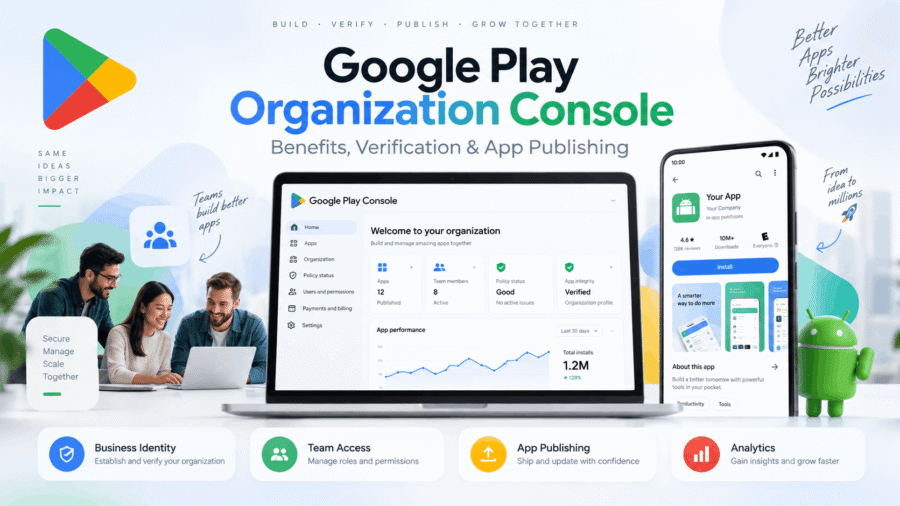
Yes. Below is a complete, professional, website-ready article about the Google Play Organization Developer Account / Google Play Console, including its purpose, requirements, benefits, differences from a personal account, verification, publishing features, and important limitations.
I’ve kept it accurate to Google’s current requirements as of September 2026.
Google Play Organization Developer Account: Complete Guide, Features & Benefits
Publishing an Android application on Google Play requires a Google Play developer account. Google provides two main developer account types: Personal and Organization.
A Google Play Organization Developer Account is intended for registered businesses, companies, agencies, institutions, non-profits, government bodies, and other organizations that publish Android applications under an organizational identity.
It allows a business to manage apps, releases, users, store listings, testing, analytics, monetization, policy compliance, and other Google Play publishing activities through Google Play Console.
Google states that Personal and Organization accounts generally have access to the same Play Console functionality. The major distinction is the identity represented by the account and the verification requirements, rather than Organization accounts receiving an entirely different publishing system. (Google Support)
What Is Google Play Console?
Google Play Console is Google’s developer management platform for Android apps distributed through Google Play.
Developers can use Play Console to manage the complete lifecycle of an application—from initial setup and testing to production releases and post-launch monitoring.
Through Play Console, developers can manage areas such as:
- Android app creation and setup
- Android App Bundle uploads
- Internal, closed, and open testing
- Production releases
- Store listings
- App content declarations
- Data Safety information
- Privacy Policy requirements
- Content ratings
- App signing
- Release management
- User permissions
- Reviews and ratings
- Android vitals
- Statistics and performance
- Monetization settings
- Pricing and country availability
- Policy status
- App updates
Once an application is released to the production track, it can become available to Google Play users in the countries or regions selected by the developer. (Google Support)
What Is a Google Play Organization Developer Account?
An Organization Developer Account represents a business or legal organization instead of an individual developer.
Google recommends choosing an Organization account when the developer account is being created for an organization or business engaged in commercial, professional, industrial, or governmental activities. (Google Support)
Examples can include:
Software Development Companies
Companies developing and publishing their own Android applications.
App Development Agencies
Businesses developing apps as part of their professional services.
Startups
Registered companies launching apps or software products.
E-commerce Businesses
Companies publishing their official shopping or customer applications.
Financial Organizations
Certain financial-services apps must use an Organization developer account.
Healthcare Organizations
Certain medical and health applications are required to use an Organization account.
Government Organizations
Government apps generally need an Organization developer account.
Businesses Publishing Official Apps
Companies wanting their applications associated with their registered organization rather than an individual developer.
Google Play Organization Account Requirements
Google requires additional organizational verification before an Organization developer account can be fully established.
The exact requirements may vary depending on the organization, country, and verification status, but Google currently lists information including:
- Developer name
- Organization legal name
- Organization legal address
- D-U-N-S number
- Organization phone number
- Organization website
- Contact person’s name
- Contact email address
- Contact phone number
- Developer email address
- Developer phone number
- Google Payments profile
The organization name and address are associated with the Google Payments profile linked to the Play Console account. (Google Support)
What Is a D-U-N-S Number?
One of the most important requirements for a Google Play Organization account is a D-U-N-S number.
D-U-N-S stands for Data Universal Numbering System.
It is a unique nine-digit business identifier issued by Dun & Bradstreet (D&B).
Google uses the D-U-N-S record to verify that the organization creating the developer account is a legitimate business or organization. (Google Support)
Your business information should therefore remain consistent between:
Google Play Console → Google Payments Profile → Dun & Bradstreet
Important information typically includes:
- Legal business name
- Registered business address
- Business phone number
- Business identity information
Google specifically requires Organization developers to keep their Play Console organization information consistent with their Dun & Bradstreet profile. (Google Support)
Organization Website Verification
Google also has website-verification requirements for new Organization developer accounts.
The organization should generally have a genuine business website associated with the organization being verified.
Website verification forms part of Google’s process for confirming the identity and legitimacy of organizations using Google Play. (Google Support)
A professional organization website should ideally include information such as:
Company Name
About Us
Services or Products
Contact Details
Official Business Email
Privacy Policy
Terms & Conditions
Having accurate and consistent business information across your website, D-U-N-S record, payment profile, and Play Console helps avoid unnecessary verification issues.
Information Displayed Publicly on Google Play
Organization developers should understand that some verified information is displayed publicly.
Google states that for Organization accounts it may display information including:
- Legal organization name
- Legal address
- Developer email
- Developer phone number
This transparency is intended to help users identify who is responsible for applications distributed through Google Play. (Google Support)
For this reason, businesses should use appropriate official contact details rather than temporary or inaccessible contact information.
Benefits of a Google Play Organization Developer Account
1. Represents Your Business Instead of an Individual
One of the biggest advantages is that the developer account can represent the organization behind the applications.
For a software company, startup, agency, institution, or established business, this creates a clearer relationship between:
Business → Developer → Application
This can be more appropriate than publishing commercially operated applications through an individual’s personal developer identity.
2. Business Identity Verification
Google verifies Organization accounts using business information such as the D-U-N-S record and associated organization details.
This creates an organizational identity within Google’s developer ecosystem.
It is particularly useful for companies operating multiple products or applications under one business.
3. Suitable for Commercial App Publishing
Organization accounts are designed specifically for businesses and professional entities.
For example:
ABC Technologies Pvt. Ltd.
Developer: ABC Technologies
Apps: Customer App, Seller App, Employee App, Business Utility App
This makes the developer structure more suitable for commercial operations.
4. Team Access and Permission Management
Google Play Console supports multiple users and granular permissions.
There are generally three access levels:
Account Owner
The primary owner of the developer account with full account-level control.
Administrator
Can be granted extensive permissions and may manage other users depending on assigned access.
User
Can be provided specific access to selected apps or functions.
Google allows administrators and account owners to assign permissions at either the account level or individual app level. (Google Support)
This is extremely useful for organizations with teams.
For example:
| Team Member | Possible Access |
|---|---|
| Business Owner | Full Account |
| Android Developer | Releases |
| QA Tester | Testing |
| Marketing Team | Store Listing |
| Finance Team | Financial Reports |
| Support Team | Reviews |
| Project Manager | Selected Apps |
Instead of sharing one Google Account password between multiple employees, each person can have their own authorized access.
5. Better Access Control
Different team members don’t necessarily need access to everything.
For example, an Android developer may need:
- App access
- Release access
- Testing access
but shouldn’t necessarily need access to:
- Financial reports
- Account settings
- Other applications
Play Console permissions allow organizations to separate these responsibilities.
That can provide much better operational control for a growing development team.
6. Manage Multiple Applications
An Organization account can be used to manage multiple apps associated with the same developer business.
For example:
Agnibyte Technologies
could manage:
- Business App
- Customer Management App
- Inventory App
- Finance Calculator
- Productivity Tool
- Enterprise Utility
Each app gets its own:
- Dashboard
- Store listing
- Releases
- Testing tracks
- Analytics
- Ratings
- Policy status
- Data Safety form
- App content declarations
while remaining under the same developer account.
7. Internal Testing
Google Play provides an Internal Testing track.
This is useful for quickly distributing test builds to team members before public release.
Developers can upload a build, invite testers, identify bugs, and make improvements before moving to larger testing stages. (Google Support)
A typical publishing workflow can therefore be:
Development
↓
Internal Testing
↓
Closed Testing
↓
Open Testing if needed
↓
Production
8. Closed Testing
Closed Testing allows developers to distribute an application to selected testers.
This helps businesses test:
- New features
- UI changes
- Compatibility
- Bugs
- Performance
- New versions
before releasing changes to all users.
Testing feedback submitted through testing tracks doesn’t automatically become part of the app’s public Play Store rating. (Google Support)
9. Important Difference for New Personal Accounts
One practical difference currently exists for certain new Personal developer accounts.
Personal accounts created after 13 November 2023 must meet Google’s production-access testing requirements before publishing publicly.
Google currently requires those accounts to run a closed test with at least:
12 opted-in testers
continuously for at least:
14 days
before applying for production access. (Google Support)
This particular requirement is documented for qualifying new Personal accounts.
It is important, however, not to create an Organization account merely to avoid requirements. The developer should select the account type that accurately represents who owns and operates the developer account.
10. Production Publishing
Once applicable setup, verification, testing, policy, and review requirements have been satisfied, applications can be submitted to the Production track.
A production release can then make the app available to users in selected countries and regions. (Google Support)
Developers can also control:
- Country availability
- Release rollout
- Version updates
- App bundles
- Release notes
- Managed publishing
11. Staged Rollouts
For updates, developers don’t always have to release a new version immediately to every user.
Staged rollout functionality can be useful for gradually releasing an update.
For example:
10% of users
↓
25%
↓
50%
↓
100%
This allows developers to monitor app stability before completing a wider rollout.
12. App Performance Monitoring
After publishing, Play Console provides tools and metrics to understand how an application performs.
Developers can monitor data and insights related to areas such as:
- Installs
- Users
- Ratings
- Reviews
- Device compatibility
- Android vitals
- Crashes
- ANRs
- Release performance
Google’s app dashboard provides metrics and trends that developers can customize after launch. (Google Support)
13. Store Listing Management
Play Console allows developers to control how their application appears on Google Play.
This includes:
App Name
Short Description
Full Description
App Icon
Feature Graphic
Screenshots
Category
Contact Details
Privacy Policy
Well-prepared store listings help users understand what the application actually provides.
All store listing claims must accurately reflect the app’s functionality and comply with Google Play policies.
14. App Content & Policy Management
Play Console includes sections for important policy declarations.
Depending on the application, developers may need to complete areas such as:
- Data Safety
- Privacy Policy
- Ads declaration
- App access
- Target audience
- Content rating
- News declarations
- Financial features
- Health features
- Permissions declarations
Google requires developers to provide accurate app information and metadata before submitting apps for review. (Google Support)
15. Data Safety Section
The Data Safety section tells Google Play users how an application handles user data.
Developers may need to disclose areas including:
- Data collected
- Data shared
- Purpose of collection
- Data handling
- Security practices
- Data deletion options where applicable
The answers should match what the application and any integrated third-party SDKs actually do.
Incorrect declarations can result in policy issues.
16. Privacy Policy Management
Applications that collect or process certain categories of information may require a valid Privacy Policy.
The Privacy Policy should accurately explain:
- Information collected
- Why information is collected
- How information is used
- Third-party services
- Data retention
- Data deletion
- Contact information
Privacy policies should describe the actual app behavior, not generic features the application doesn’t use.
17. Android App Bundle Publishing
Google Play primarily uses the Android App Bundle (.aab) publishing format for modern Android applications.
Instead of distributing one universal APK, developers upload an App Bundle and Google Play generates optimized APKs for supported devices.
This can reduce unnecessary download size because users receive resources appropriate for their device configuration.
18. Google Play App Signing
Google Play App Signing helps manage the signing process for applications distributed through Play.
Signing is extremely important because Android uses the application’s signing identity when validating future updates.
Developers should therefore carefully protect:
- Upload keys
- Signing configuration
- Account access
- Recovery information
19. App Reviews and User Feedback
Play Console allows developers to monitor user reviews and ratings.
Businesses can use this information to:
- Identify recurring problems
- Find device-specific bugs
- Understand user complaints
- Improve features
- Respond to feedback
User reviews can provide valuable information about the actual experience of people using the application.
20. Monetization
Both Personal and Organization Google Play developer accounts can monetize applications when applicable using a Google Payments profile. Google explicitly states that both account types have access to monetization functionality. (Google Support)
Depending on the application and applicable policies, monetization can include things such as:
- Paid apps
- In-app products
- Subscriptions
Google Play service fees may apply to qualifying digital transactions. (Google Support)
21. Organization Accounts for Financial Applications
Google states that developers providing certain categories of services must register as an Organization.
This currently includes apps providing certain:
- Financial products and services
- Health services
- VPN services
- Government services (Google Support)
Financial examples Google provides include:
- Banking
- Loans
- Stock trading
- Investment funds
- Cryptocurrency wallets
- Cryptocurrency exchanges
Therefore, businesses operating in regulated categories should pay particular attention to account type and relevant app-policy requirements.
22. Organization Accounts for Health Apps
Google also requires Organization accounts for certain health categories, including medical apps and Human Subjects Research apps. (Google Support)
These apps can also be subject to additional health-related policy requirements.
An Organization account alone does not automatically grant permission to publish restricted or regulated health functionality.
The app must still comply with all relevant Google Play policies.
23. Organization Accounts for VPN Apps
Apps approved to use Android’s VpnService class are another category Google says should use an Organization account. (Google Support)
Additional VPN-specific policies can still apply.
24. Government Applications
Apps developed by or on behalf of government agencies are also included among categories requiring an Organization account.
Google provides special verification processes for recognized government organizations in some circumstances, including exceptions relating to D-U-N-S requirements. (Google Support)
Organization vs Personal Google Play Developer Account
Here is a useful comparison:
| Feature | Personal | Organization |
|---|---|---|
| Publish Android Apps | ✅ | ✅ |
| App Monetization | ✅ | ✅ |
| Multiple Apps | ✅ | ✅ |
| Testing Tracks | ✅ | ✅ |
| Play Console Analytics | ✅ | ✅ |
| Invite Other Users | ✅ | ✅ |
| Store Listing Management | ✅ | ✅ |
| Organization Identity | ❌ | ✅ |
| D-U-N-S Required | ❌ | ✅ |
| Organization Website Verification | Generally No | ✅ for applicable new accounts |
| Public Organization Details | ❌ | ✅ |
| Intended for Businesses | Not primarily | ✅ |
| Certain Financial Apps | Not suitable | Required |
| Certain Health Apps | Not suitable | Required |
| Government Apps | Not suitable | Required |
| Certain VPN Apps | Not suitable | Required |
| New Personal Account 12-Testers/14-Day Rule | Applies when eligible | Not documented as the same new-personal-account requirement |
The important point is that Organization does not mean a more powerful Play Console. Google says both account types generally have the same functionality. (Google Support)
The differences primarily concern who the account represents and how that developer is verified.
Does an Organization Account Get Faster App Approval?
There is no official Google guarantee that an Organization developer account receives faster app reviews.
Review times can vary depending on factors such as:
- Application category
- Account history
- Policy requirements
- Permissions
- SDKs
- User data handling
- App complexity
- Login requirements
- Reviewer workload
- Required declarations
Therefore, businesses should not advertise an Organization account as providing guaranteed fast approval.
Does an Organization Account Guarantee App Approval?
No.
Creating or verifying an Organization account does not guarantee that applications will be approved.
Every app must independently comply with Google Play Developer Program Policies.
Google may reject or remove apps that violate applicable policies regardless of whether the developer account is Personal or Organization.
Does an Organization Account Improve App Ranking?
There is no official basis for claiming that simply using an Organization developer account automatically increases:
- Search ranking
- Downloads
- Installs
- Ratings
- Recommendations
- Organic traffic
App performance depends on many factors, including product quality, relevance, store listing quality, user engagement, ratings, retention, and marketing.
Does an Organization Account Make Apps “More Trusted”?
Organization accounts undergo organization-specific verification, which helps users identify the business responsible for an application.
However, it is better not to market this as a guarantee that Google considers every application from an Organization account “trusted,” “approved,” or “safe.”
Verification confirms developer identity information; each individual app still needs to meet Google’s requirements.
Important Organization Verification Best Practices
Businesses operating Organization developer accounts should maintain consistency across all company records.
A good structure is:
Dun & Bradstreet
↓
Legal Organization Information
↓
Google Payments Profile
↓
Google Play Console
↓
Organization Website
↓
Developer Contact Details
The information should be accurate and current.
Keep Your Business Information Updated
If your company’s:
- Name changes
- Address changes
- Phone number changes
- Website changes
- Developer contact information changes
you should update the relevant records.
Google warns Organization developers that legal name and address information should remain consistent with their Dun & Bradstreet information. (Google Support)
Use an Official Business Email
For an Organization account, using an email address associated with the organization’s domain is advisable.
For example:
Recommended
support@yourcompany.com
developer@yourcompany.com
playconsole@yourcompany.com
instead of relying solely on a personal mailbox.
Google specifically recommends organization-associated contact information for business developer accounts. (Google Support)
Protect the Account Owner
The account owner has extremely important permissions.
Google identifies the account owner as the original account holder with full Play Console access and key account responsibilities. (Google Support)
Organizations should protect this account with strong security practices such as:
- Strong unique password
- Two-step verification
- Updated recovery methods
- Limited account-owner access
- Individual user accounts for staff
- Regular permission reviews
Never share the owner’s Google Account password between employees.
Instead, invite team members through Play Console.
Use Minimum Necessary Permissions
For example:
Developer
Give release-related permissions.
Designer
Give store listing permissions when required.
Marketing Employee
Give statistics or store listing access when required.
Finance Employee
Give relevant financial access.
External Contractor
Give access only to the specific app they are working on.
This reduces unnecessary access to sensitive parts of the developer account.
Google Play Organization Account Registration Fee
Google’s developer registration system uses a one-time USD $25 fee for full distribution accounts. Google’s current developer documentation continues to reference this fee. (Google Support)
Currency conversion, taxes, or available payment methods may vary according to location.
New Android Developer Verification Changes in 2026
Android’s broader developer-verification system is changing during 2026.
Google has announced requirements relating to developer identity and package-name registration for apps distributed to certified Android devices.
Google’s Play Console requirements update scheduled for 30 September 2026 also states that developers will need to register applicable app package names through Play Console as part of Android developer verification requirements. (Google Support)
Because these requirements are actively evolving, developers should regularly check their Play Console dashboard for any verification tasks.
Who Should Choose a Google Play Organization Account?
An Organization account is generally appropriate if you are publishing apps for:
- Registered companies
- Software businesses
- Development agencies
- Startups
- E-commerce businesses
- Manufacturing businesses
- Educational institutions
- Professional service companies
- Financial organizations
- Healthcare organizations
- Government organizations
- Other formally operated organizations
A Personal account is generally more appropriate for:
- Individual developers
- Students
- Hobby developers
- Amateur developers
Google specifically recommends Personal accounts for personal use and Organization accounts for organizations or businesses. (Google Support)
Key Advantages at a Glance
The main benefits of a Google Play Organization Developer Account are:
- Business-oriented developer identity
- Organization verification using D-U-N-S
- Suitable structure for commercial publishing
- Official organization information on Google Play
- Multiple team-member access
- Granular user permissions
- Management of multiple Android apps
- Internal and closed testing
- Production release management
- Store listing management
- Analytics and Android vitals
- Reviews and rating management
- Monetization support
- App content and compliance management
- Appropriate account type for regulated categories where Google requires an Organization
What an Organization Account Does NOT Provide
This part is especially important.
An Organization account does not automatically provide:
❌ Guaranteed app approval
❌ Guaranteed faster review
❌ Guaranteed app ranking
❌ Guaranteed downloads
❌ Guaranteed revenue
❌ Immunity from Google Play policies
❌ Automatic permission approval
❌ Automatic approval of financial apps
❌ Automatic approval of health apps
❌ Protection from suspension for policy violations
Organization accounts remain subject to the same overall Google Play Developer Program Policies.
Frequently Asked Questions
Can an Organization account publish multiple apps?
Yes. A developer account can manage multiple applications, subject to Google Play policies and account standing.
Can an Organization account monetize apps?
Yes. Google confirms that both Personal and Organization accounts can monetize through an appropriate payments profile. (Google Support)
Is D-U-N-S required?
For a standard Organization account, yes. Google identifies a D-U-N-S number as a mandatory organization-verification requirement, with specific exceptions for recognized government entities. (Google Support)
Does Google display the company’s details?
Yes. Google says verified organization information including legal name, legal address, developer email and developer phone number may be displayed on Google Play. (Google Support)
Can employees access the account?
Yes. The account owner or authorized administrators can invite users and assign appropriate account-level or app-level permissions. (Google Support)
Does every team member need to pay the registration fee?
No. Invited admins and users don’t separately pay the developer registration fee for access to the existing developer account. (Google Support)
Is an Organization account better than a Personal account?
Not universally.
It is more appropriate for a real organization or business, while Personal accounts are intended for individuals. Google states that both types generally have the same functionality. (Google Support)
Does having an Organization account guarantee publication?
No. Every app still undergoes applicable review and must comply with Google Play policies.
Conclusion
A Google Play Organization Developer Account is the appropriate developer-account structure for businesses, companies, agencies, institutions, and other organizations that publish and manage Android applications professionally.
Its most meaningful advantages aren’t secret publishing privileges or guaranteed approvals. The value comes from having a verified organizational identity, business-oriented account structure, team-access management, and centralized control over applications and releases.
Businesses can use Google Play Console to manage the entire Android publishing lifecycle—from app setup and testing to production releases, store listings, analytics, user reviews, monetization, and ongoing policy compliance.
Organizations should maintain accurate information across their D-U-N-S record, Google Payments profile, Play Console account, website, and developer contact details, while ensuring every published application independently complies with Google Play Developer Program Policies.
Important: Google Play policies and developer-verification requirements change over time. Businesses should always review the latest requirements shown in their Play Console and Google’s official developer documentation before registering an account or publishing an application. (Google Support)